Ready for your payroll software.
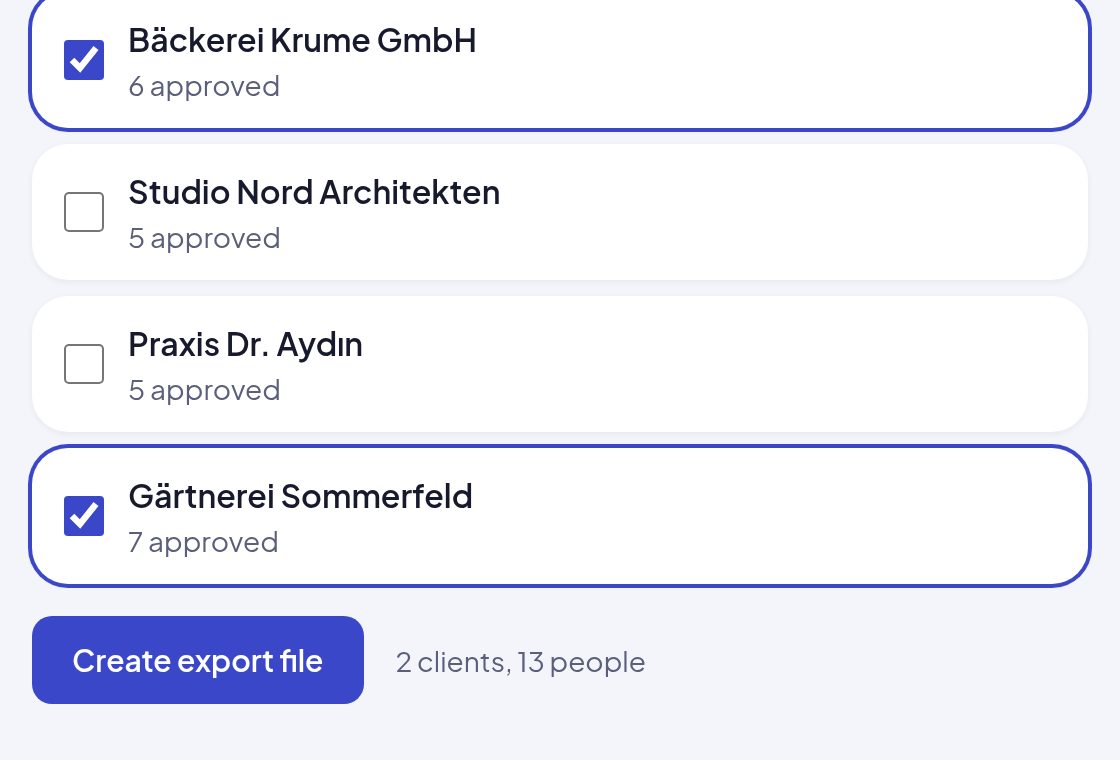
You export approved people together, for one client or several: as a file your payroll software reads in, with no retyping.
- Import file
- CSV
- PDF per person
Your clients invite new employees, who fill in their details themselves, on the phone or on a computer. onbodi checks as they type, shows at any time what is still missing and hands everything over to your payroll software, checked.
| Topic | Until now: Excel, PDF and email | With onbodi |
|---|---|---|
| Questionnaire | Until now: Excel, PDF and emailAn Excel file or a PDF goes by email to the client and on to the employees. | With onbodiOne link per person. Filled in on the phone or a computer, no account, in seven languages. |
| Overview | Until now: Excel, PDF and emailNobody sees what has been filled in so far and where it is stuck. | With onbodiThe firm and the employer see at any time who is done and what is missing for whom. |
| Completeness | Until now: Excel, PDF and emailWhether everything is there only shows when someone types it in. | With onbodiMissing details are listed for every person. Reminders go out automatically. |
| Review | Until now: Excel, PDF and emailUnclear whether the employer or the firm has checked it yet. | With onbodiThe employer confirms, the firm approves. Every step is in the audit log. |
| Errors | Until now: Excel, PDF and emailTransposed digits and contradictions only show up at the report. | With onbodiTax ID, social security number and IBAN are checked as people type, with notes on contradictions. |
| Effort | Until now: Excel, PDF and emailFollow-ups and retyping cost the firm and the client time and money. | With onbodiThe export goes into the payroll software as a file, with no retyping. |
Tax firm, employer and employees work on the same case, each with their own view.
A link by email, no password. For every client you see how many people are complete.
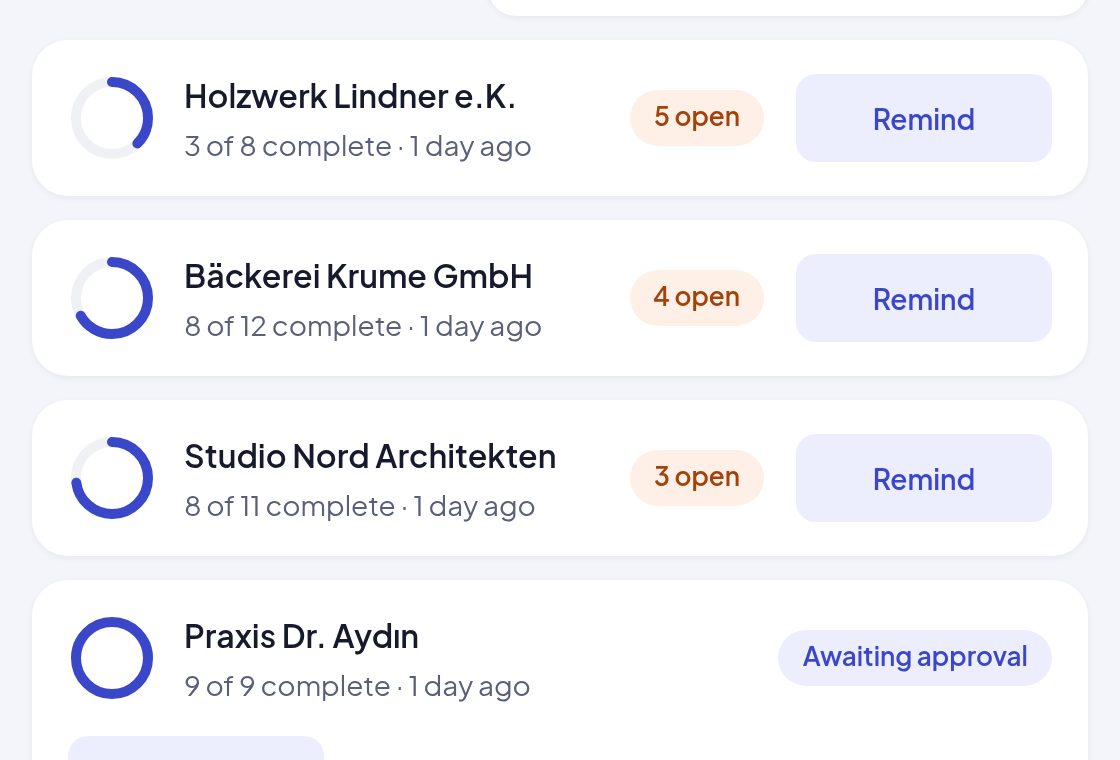
By email, link or CSV list. The team list says for each person what is still missing.
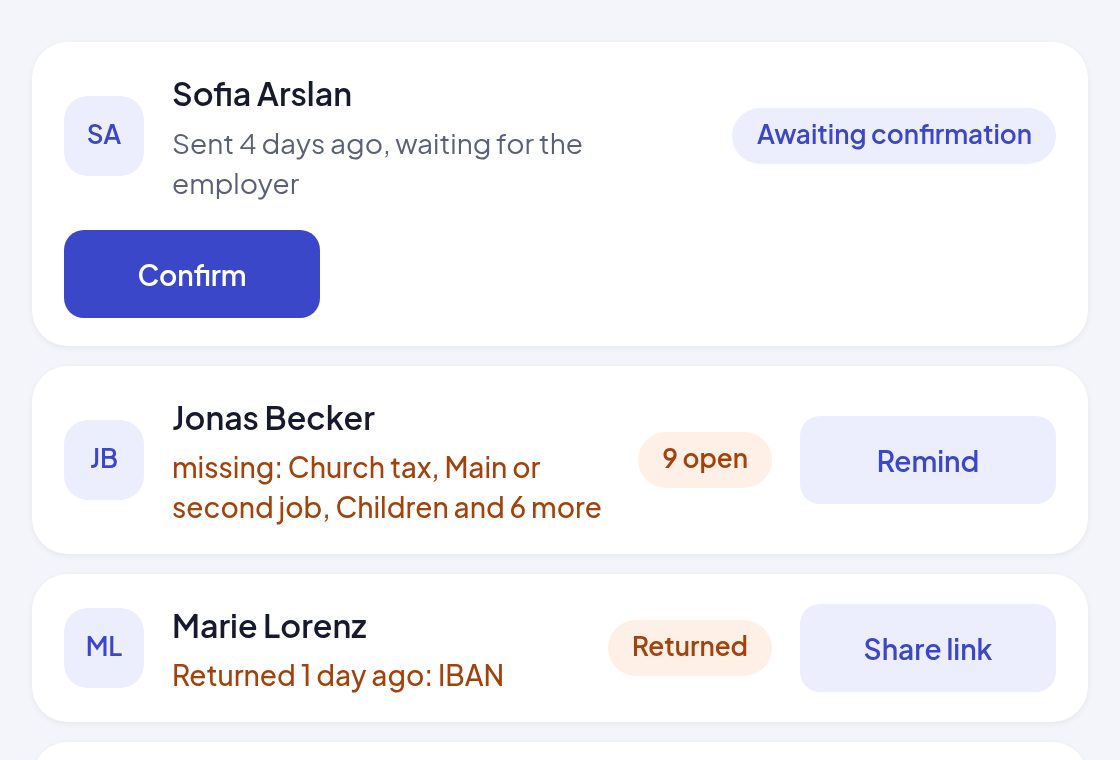
On a phone or a computer, no account, no app. Tax ID, social security number and IBAN are checked as they type.
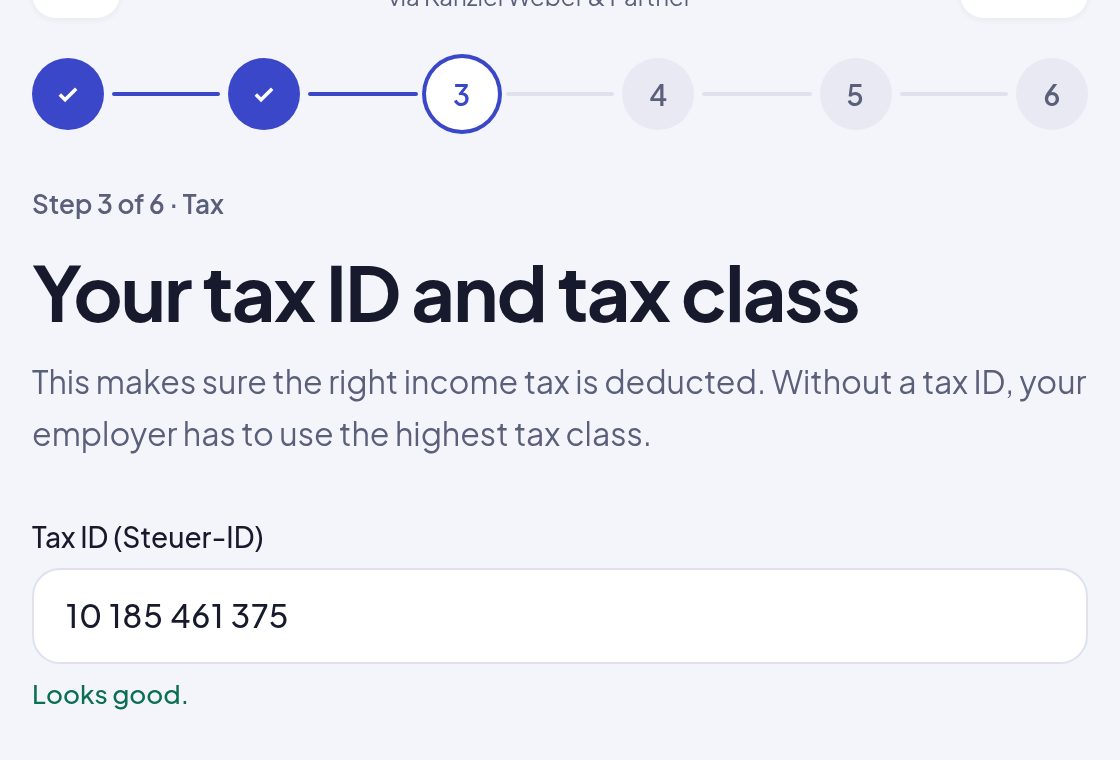
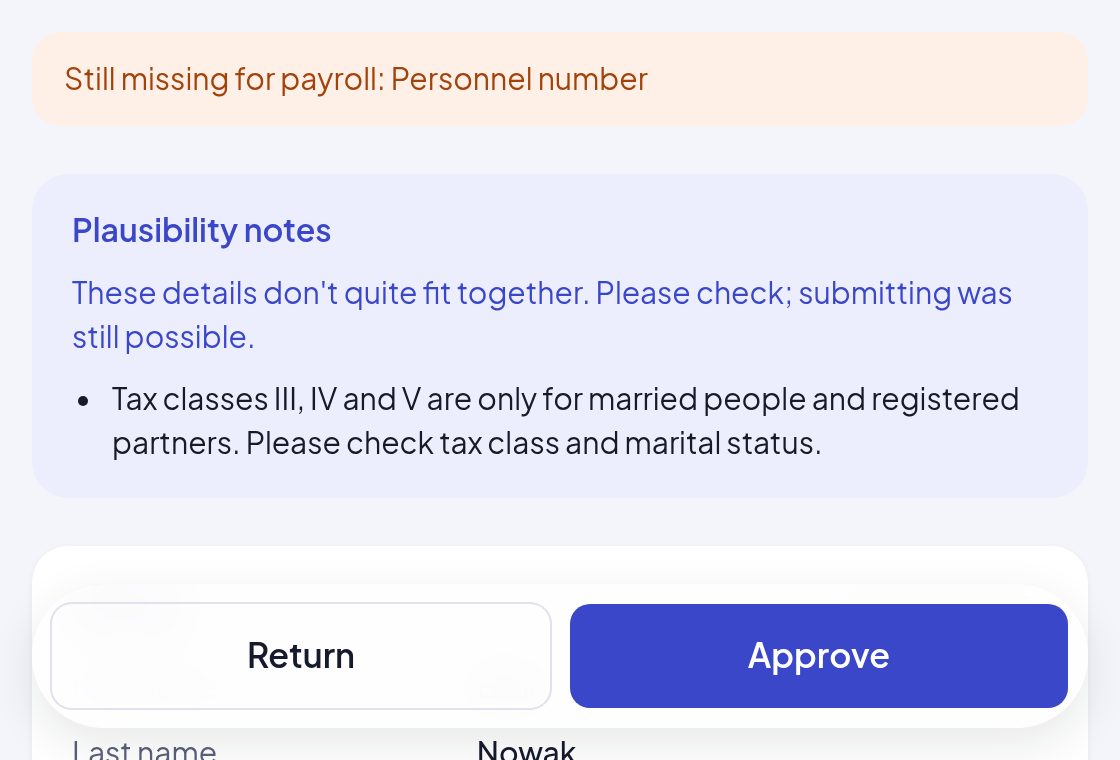
With notes where something does not fit together. Return with a comment or approve.
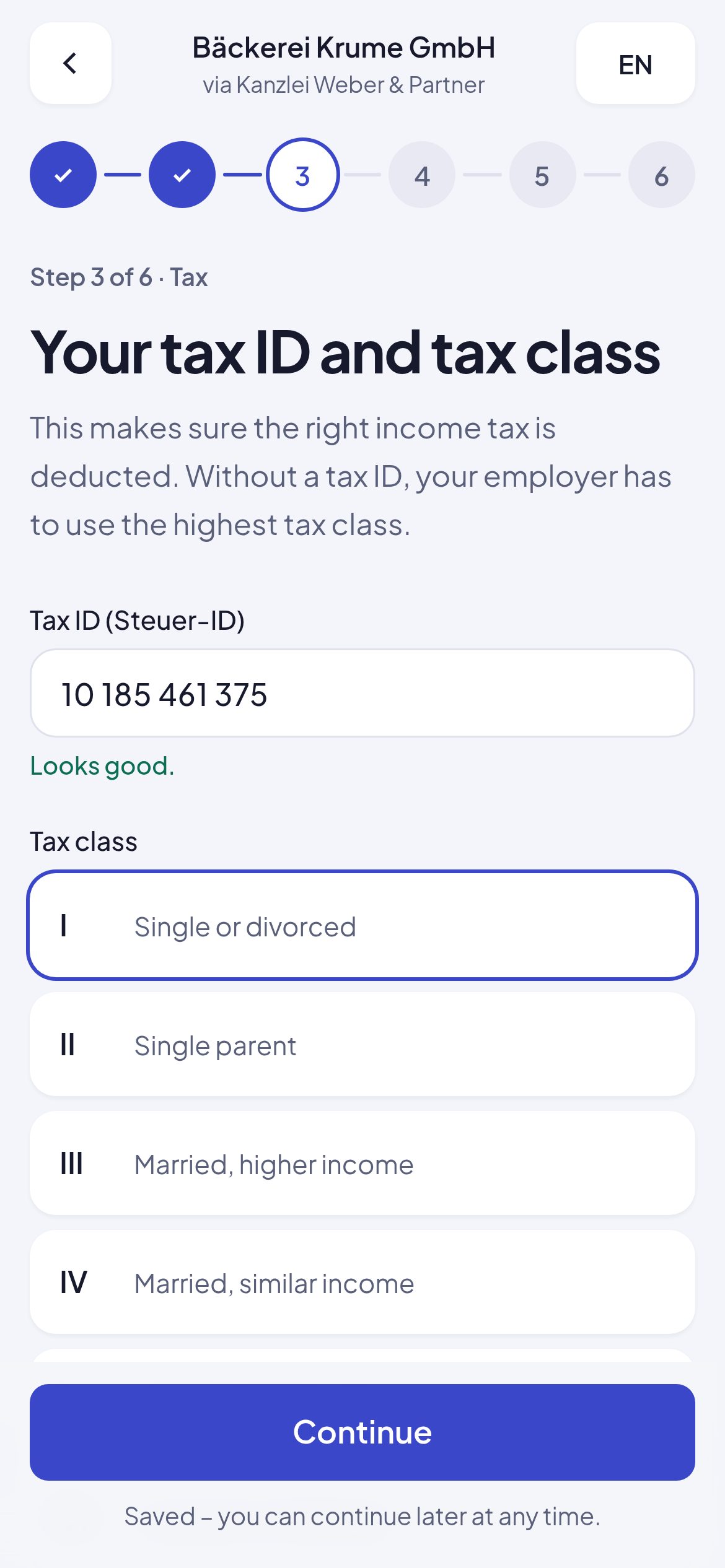
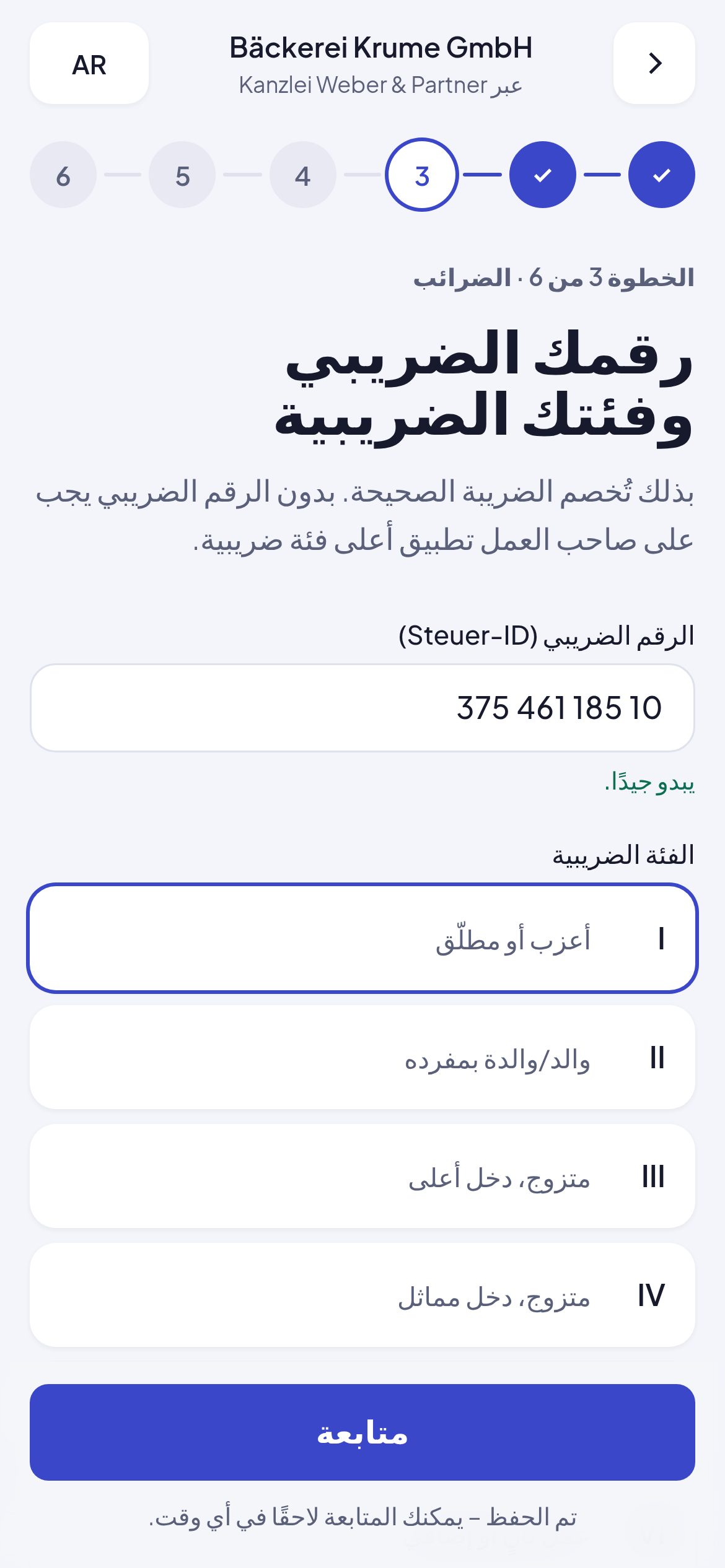
The questionnaire speaks seven languages, Arabic from right to left. The firm and the employer still see the details in their own language.
You export approved people together, for one client or several: as a file your payroll software reads in, with no retyping.
A new address, a new bank account, a leaver: employees and employers report changes the same way, with an effective date. The next export marks them.
Tax IDs, social security numbers, IBANs and copies of ID documents are sensitive data. onbodi was built for them from the start.
The application and all details are on servers in Germany, with no services outside the EU.
Tax ID, social security number, IBAN, residence permit, severe disability and uploaded proofs are additionally stored encrypted.
For everyone at the firm. Clients sign in with a link by email, without a password.
Every person gets their own random link. It expires and stops working as soon as a new one is made.
Every view of complete details, every approval, return and export is recorded.
Emails from onbodi contain only a link, never a person's details.
No. The questionnaire runs in any current browser, on a phone, a tablet or a computer. Employers can send the link by email or pass it on themselves, for example by messenger.
A complete onboarding questionnaire with its own questions for mini-jobs, working students and apprentices. Your firm decides which additional questions are asked, for all clients or per client.
Through the export: as an import file for the payroll software, as CSV for Excel and any other software, and as a PDF per person. Which payroll software you use, we discuss in the demo.
The person, their employer and your firm. Each client sees only their own employees, and every view of complete details is in the audit log.
Yes. onbodi processes the details on behalf of your firm. We sign a data processing agreement under Art. 28 GDPR with every firm, listing the service providers for hosting and email, all in the EU.
No. onbodi runs in the browser. Employers sign in with a link by email; employees need no account at all.
Employees can ask for corrections and report later changes such as a new address or bank account with an effective date. Employers report leavers the same way.
We show you the whole journey with sample data and then set up a trial account for your firm.